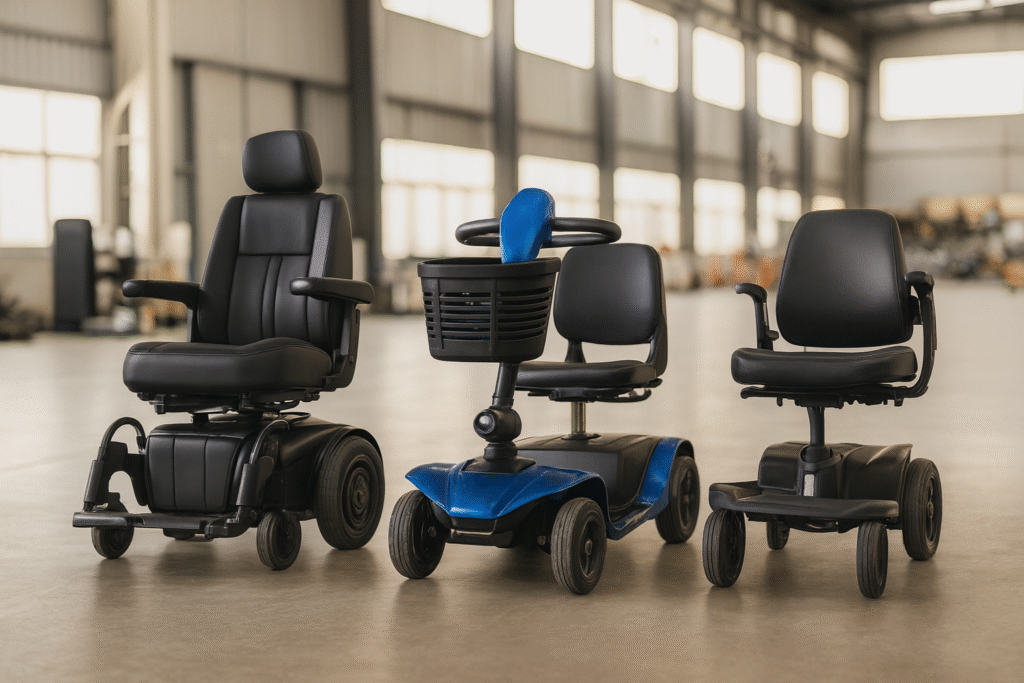
Electric Wheelchair Control Methods: Joystick vs Chin vs Sip-and-Puff Compared
Last updated: November 2026
If you can’t use a standard joystick, there are at least six alternative control methods for electric wheelchairs. This guide explains each option, who it’s for, and the trade-offs.
Control Method Comparison Table
| Method | Hand Function Needed | Learning Time | Cost Premium | Best For |
|---|---|---|---|---|
| Standard joystick | Good grip + arm control | 1 hour | Baseline | Most users |
| Mini joystick | Limited grip | 2-3 hours | +$200-500 | Arthritis, partial hand function |
| Chin control | None (head movement) | 1-2 weeks | +$1,000-2,000 | C1-C4 SCI, ALS |
| Head array (head control) | None (head movement) | 1-2 weeks | +$1,500-3,000 | C1-C4 SCI, MS with arm weakness |
| Sip-and-puff | None (breath control) | 2-4 weeks | +$2,000-4,000 | Ventilator users, complete paralysis |
| Switch scanning | Minimal (one switch) | 2-6 weeks | +$1,000-2,500 | Progressive conditions with very limited movement |
Standard Joystick
The default control for most power wheelchairs. A proportional joystick translates the direction and force of your hand movement into wheelchair speed and direction.
Caractéristiques techniques :
- Force required: 50-150 grams (about the weight of a AA battery)
- Sensitivity: Adjustable from 10% to 100%
- Mounting: Right or left armrest
- Display: Speed setting, battery level, mode indicator
Who it’s for: Users with sufficient hand and arm function to grip and move a small stick. This includes most MS, Parkinson’s, arthritis, COPD, and general aging users.
Pros: Intuitive, fast response, widely available
Cons: Requires hand function; not usable with severe tremor without dampening
Mini Joystick
A smaller version of the standard joystick, requiring less force and less movement range.
Who it’s for: Users with arthritis, partial hand weakness, or limited finger dexterity who can’t operate a standard joystick comfortably.
Key specs:
- Force required: 20-50 grams (lighter than a AA battery)
- Movement range: 5mm (vs 15-20mm standard)
- Can be operated with a single finger, chin, or mouth stick
Pros: Low effort, versatile mounting
Cons: Less precise than standard; may be too sensitive for tremor
Chin Control
A joystick mounted on a swing-away arm that positions the control near the user’s chin. The user moves their head to drive the wheelchair.
Who it’s for: Users with no hand or arm function but good head control — typically C1-C4 spinal cord injury, advanced ALS, or severe stroke.
Setup:
- Mounts to the wheelchair frame on a swing-away arm
- Positioned 1-2 inches from the chin
- User tilts head forward (go), back (reverse), left, right
- Swing-away allows easy transfers
Pros: Intuitive head movement; fast response
Cons: Visible in public; requires practice; chin fatigue after 30+ minutes
Head Array
Three pressure sensors mounted in the headrest: left, right, and center. The user tilts their head against the sensors to steer.
Who it’s for: Same population as chin control but preferred by users who don’t want a visible chin stick.
How it works:
- Tilt head left = turn left
- Tilt head right = turn right
- Press back = forward
- Hold back = reverse
Pros: Discreet (hidden in headrest); no visible apparatus
Cons: Less intuitive than joystick; longer learning curve; less precise for fine positioning
Sip-and-Puff
The user controls the wheelchair by breathing into a tube — sipping (inhaling) and puffing (exhaling) in specific patterns.
Who it’s for: Users with no hand, arm, or head control — typically ventilator-dependent individuals or those with complete C1-C2 injuries.
Commands:
- Hard puff = forward
- Hard sip = reverse
- Soft puff = turn right
- Soft sip = turn left
- Continuous soft puff/sip = speed control
Pros: Usable with zero limb function; reliable
Cons: Requires breath coordination; slow response; requires 2-4 weeks of training; can cause dizziness initially
Switch Scanning
A single large button (or any body part that can activate a switch) cycles through directional options displayed on a screen. The user activates the switch when the desired direction is highlighted.
Who it’s for: Users with only one reliable movement — a single finger, foot, head nod, or eye blink.
How it works:
- The screen displays: Forward → Right → Left → Reverse → Stop
- The highlighted option cycles automatically (2-3 seconds each)
- User presses switch when desired option is highlighted
- Chair moves in that direction for 3 seconds, then stops
Pros: Works with minimal function; highly adaptable
Cons: Very slow (6-12 seconds per direction change); requires concentration
How to Choose: Decision Tree
- Can you grip and move a small stick? → Standard joystick
- Can you move one finger but not grip? → Mini joystick
- Can you move your head freely but not your arms? → Chin control or head array
- Can you breathe forcefully but not move limbs or head? → Sip-and-puff
- Can you activate one switch reliably? → Switch scanning
FAQ
Can I switch between control methods?
Yes. Most modern power wheelchair controllers (like the R-Net and CJTA2 systems) support multiple input devices. You can have a joystick for good days and a chin control for bad days, switching with a mode button. However, each additional input device adds cost and complexity.
Does insurance cover alternative controls?
Medicare covers alternative controls if they’re medically necessary and documented by your doctor and an ATP (Assistive Technology Professional). The documentation must show why a standard joystick is insufficient. Private insurance varies — check your plan’s DME benefit.
How long does it take to learn sip-and-puff?
Most users achieve basic proficiency in 2-4 weeks with daily practice. Full mastery (smooth turns, speed modulation) takes 1-3 months. A respiratory therapist or assistive technology specialist typically provides training.
Can I drive the wheelchair with my phone?
Some manufacturers offer Bluetooth smartphone control as a secondary input. This is useful for caregivers or for moving the wheelchair when the user isn’t seated. It’s not a primary driving method — phones lack the proportional control needed for safe driving.
What’s the most intuitive alternative to a joystick?
Chin control is generally the most intuitive alternative because it directly translates head movement into wheelchair direction — similar to how a joystick works. Head array and sip-and-puff require more abstract thinking to map movements to directions.
Are there eye-tracking wheelchair controls?
Yes, but they’re experimental and not widely available. Current systems use infrared cameras to track eye movement and translate gaze direction into wheelchair steering. They’re expensive ($10,000+) and primarily used in research settings. Commercial availability is expected within 2-3 years.
Conclusion
The right control method transforms a wheelchair from a burden to freedom. If you or your client needs an alternative to the standard joystick, work with an ATP-certified seating clinic for proper evaluation. For B2B sourcing of wheelchairs with alternative controls, specify the control type in your RFQ template. For more on matching wheelchairs to medical conditions, see our condition-specific guide.
Interested in Wholesale Pricing?
Get OEM/ODM details, product specifications, and wholesale pricing within 24 hours.
Or send us a message directly:

 English
 Deutsch
 Français
 Español
 Italiano
 العربية
 Русский